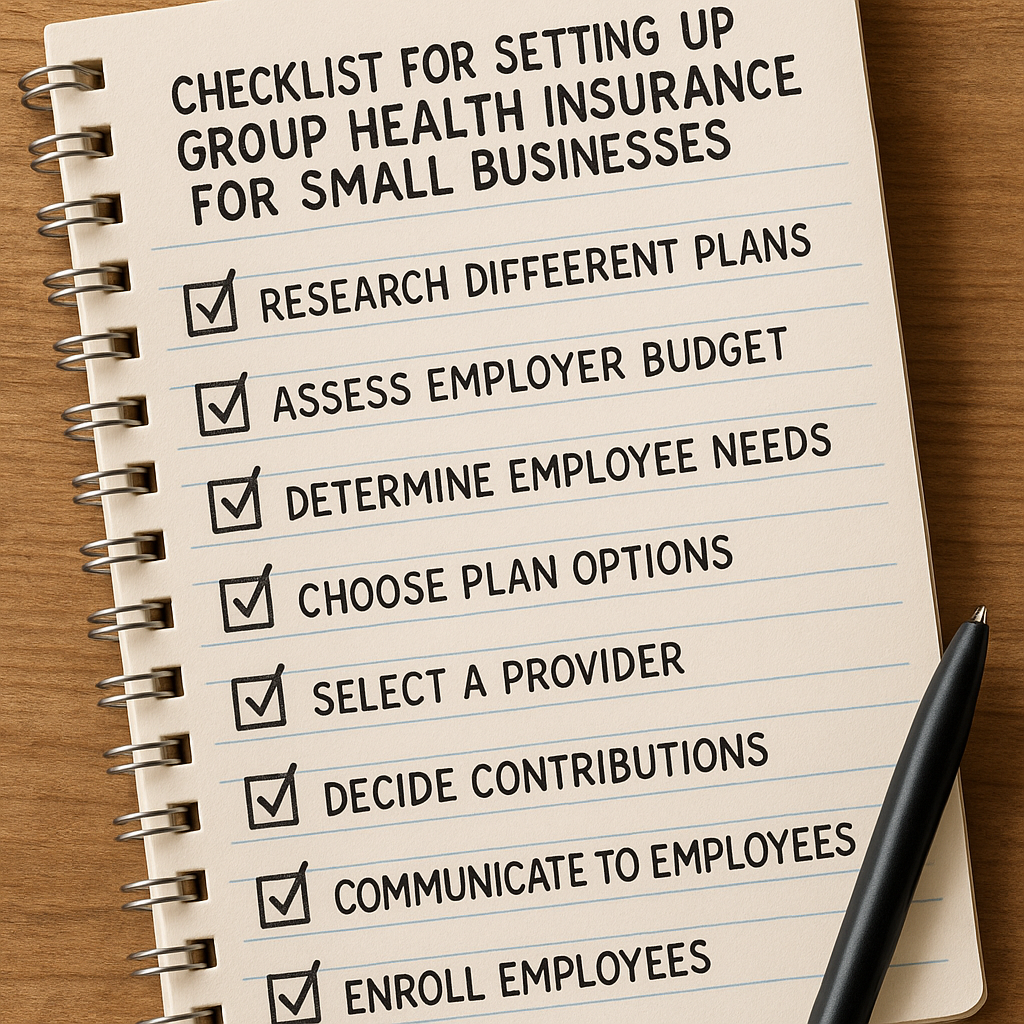


Imagine you’re a small‑business owner who just heard about QSEHRAs and wonders how the yearly reimbursement caps actually shape your budget.
That moment of recognition is common – you want a predictable health benefit, but the IRS limits feel like a moving target.
The good news? QSEHRA limits are straightforward: for 2026 the individual reimbursement ceiling is $6,000 and the family ceiling is $12,300, indexed each year for inflation. Those figures tell you the maximum you can set for each employee without crossing the tax‑free threshold.
Why does that matter? Take a family‑run bakery in Ohio with five staff. If you set the QSEHRA at $5,500 per person, the IRS treats the entire amount as tax‑free, lowering payroll taxes and freeing cash for better ovens. But if you accidentally bump the limit to $6,500, the excess $500 becomes taxable wages, eroding the very savings you were chasing.
A practical step is to run a quick spreadsheet each quarter. List every employee, note their household income, then apply the 9.12 % affordability test – the employee’s share of the premium can’t exceed that percentage of their income. If it does, lower the QSEHRA contribution or offer a traditional group plan for that person.
Another tip: tier your QSEHRA limits by employee role. Full‑time crew members who need comprehensive coverage might get the full $6,000, while part‑time interns receive $3,000. This keeps your overall spend in line with cash‑flow forecasts and still satisfies the IRS’s minimum‑essential‑coverage rule.
If you’re unsure how those numbers play out, our practical guide to small‑business health insurance costs walks you through a simple calculator you can copy into Excel. Plug your payroll totals, the proposed QSEHRA caps, and watch the tax‑saving impact pop up in real time.
Bottom line: stay under the IRS caps, run the affordability test each quarter, and adjust contributions by role. Doing so keeps your QSEHRA tax‑free, protects employee purchasing power, and gives you a clear line‑item on the budget you can plan around for years to come.
TL;DR
Navigating qsehra limits can feel overwhelming, but by staying under the IRS caps, running quarterly affordability checks, and tailoring contributions to each employee’s role, you keep reimbursements tax‑free and your payroll predictable.
Use a simple spreadsheet to compare each worker’s household income with the 9.12 % affordability threshold, adjust caps as needed, and you’ll protect buying power while simplifying budgeting for years ahead.
Understanding QSEHRA Limits: What Employers Need to Know
When you first glance at the IRS tables, those numbers can feel like a foreign language. You’re thinking, “How do I set a cap that protects my cash flow but still feels generous?” That moment of doubt is exactly why we break down qsehra limits step by step.
First, remember the baseline for 2026: $6,000 per individual and $12,300 per family. Those are the hard ceilings – go any higher and the excess becomes taxable wages. It’s as simple as a speed limit sign on a road you already know.
Why the Caps Matter for Small Teams
Imagine you run a boutique graphic studio in Manchester with eight staff members. If you set the individual limit at $5,800, every dollar stays tax‑free, shaving off payroll taxes for both you and your crew. But bump it to $6,200 and the extra $200 per employee turns into ordinary income, eroding the very benefit you were trying to offer.
That tiny slip can add up fast. Eight people × $200 = $1,600 of unexpected tax liability each year. In real terms, that’s less budget for new design software or that coffee machine you’ve been eyeing.
Tiered Limits: One Size Doesn’t Fit All
One trick we’ve seen work is tiering the limits based on role or family status. Full‑time designers might get the full $6,000, while part‑time interns receive $3,000. The math stays predictable, and you avoid the “one‑size‑fits‑all” pitfall that often leads to over‑contributing.
Here’s a quick checklist you can paste into an Excel sheet:
- List every employee and their household income.
- Apply the 9.12 % affordability test – the employee’s share of the premium can’t exceed that percent.
- Set the QSEHRA limit at or below the IRS cap, adjusting for role tier.
- Flag any employee who exceeds the affordability threshold and consider a traditional group plan for them.
Run this spreadsheet quarterly. A fresh look every three months catches wage bumps or new hires before they push you over the limit.
Real‑World Example: The Family‑Run Café
Take a family‑run café in Leeds with four full‑time baristas and two part‑time servers. The owners decide on a $5,500 individual limit for baristas and $2,800 for servers. After running the affordability test, they discover one server’s household income places the 9.12 % threshold at $2,500. Because the proposed $2,800 would be unaffordable, they tweak that server’s limit down to $2,400 and offer a modest group plan instead. The result? No taxable spill‑over and a happy employee who feels the benefit is tailored to them.
That same logic works for any industry – from tech startups in London to manufacturing firms in Birmingham. The key is flexibility, not rigidity.
And if you need a visual walk‑through, check out this short video that walks you through setting up your QSEHRA spreadsheet:
Notice how the video pauses at the affordability calculation – that’s the exact spot where most employers slip.
Linking to Helpful Resources
For a deeper dive on how health reimbursement arrangements intersect with overall payroll strategy, the team at XL R8 Well offers a solid primer on integrating QSEHRA with other wellness benefits.
If you’re wondering about the medical‑policy side of things, Dr. Dubey’s guide on individual coverage considerations breaks down the minimum‑essential‑coverage rule in plain language.
And for employers hiring across borders, Get Recruited provides a quick checklist on staying compliant when you have remote staff in the UK and EU.
Bottom line: keep the caps under the IRS ceiling, run the affordability test every quarter, and tier your limits to match employee roles. That three‑step rhythm keeps your QSEHRA tax‑free, protects buying power, and gives you a clear line‑item on the budget you can plan around for years to come.

How QSEHRA Limits Are Calculated Annually
When you finally sit down with your spreadsheet, the first thing you need to ask yourself is: how do those numbers actually get turned into the monthly dollars you hand to your team?
The IRS sets a single annual ceiling for each employee based on coverage type – $6,450 for self‑only and $13,100 for family in 2026. Those figures aren’t magic; they’re simply the maximum you can reimburse tax‑free over the whole year.
Step one is to pick the right bucket. Ask each worker whether they’re buying an individual plan just for themselves or covering a spouse and dependents. Once you know that, you slap the corresponding annual cap onto their profile.
Step two is to break the cap into twelve equal slices. Divide $6,450 by 12 and you get $537.50 per month for self‑only staff. For family coverage, $13,100 ÷ 12 equals $1,091.66 a month. That’s the baseline amount you can promise without tripping any tax rules.
But real life rarely starts on January 1st. If someone joins in May, you don’t want to give them a full‑year allowance they’ll never earn. That’s where prorating comes in. Multiply the annual limit by the fraction of the year the employee is eligible – for a May start that’s 8 ÷ 12. So a self‑only hire in May would get $6,450 × (8/12)≈$4,300 total, which you can spread as $537.50 for each of the eight months they’re on the books.
Here’s a quick checklist you can paste into any spreadsheet:
- Identify coverage type (self‑only vs. family).
- Enter the appropriate 2026 annual cap.
- Calculate monthly amount (annual ÷ 12).
- Determine eligibility months (start‑date to year‑end).
- Apply prorated factor (months ÷ 12) to the annual cap.
- Populate final monthly reimbursement column.
Does that sound like a lot of math? Not really – once you set up the formulas, Excel does the heavy lifting. In fact, we’ve seen a small‑business bakery in Ohio use exactly this approach and discover they were saving roughly $4,200 in payroll taxes because every reimbursement stayed under the IRS caps.
Now, a word of caution: if you ever exceed the cap, the excess turns into taxable wages for the employee and shows up on their W‑2. That not only erodes the tax‑free benefit but also creates extra paperwork for you. A tiny overshoot of $100 per employee can add up to thousands of unexpected payroll tax dollars across a ten‑person team.
Because the limits are indexed for inflation each October, you’ll need to revisit the numbers annually. The IRS announced the 2026 figures in Revenue Procedure 2025‑32, and the modest $100 bump for self‑only coverage and $300 bump for family coverage reflect that cost‑of‑living adjustment. Take Command breaks down those new limits and explains why they matter for budgeting.
Finally, keep a living document of your QSEHRA policy. Write down the chosen caps, the calculation method, and the date you last updated the spreadsheet. Share that doc with your HR or payroll partner so everyone is on the same page when a new hire rolls in or an employee’s family situation changes.
So, what’s the next step? Pull your payroll export, run the five‑step formula above, and lock in the 2026 caps before your next payroll run. A few minutes of upfront work now means you’ll avoid costly tax surprises later and keep your benefit offering competitive for the talent you want to attract.
Video Walkthrough: Navigating QSEHRA Limits for Small Businesses
Let’s be honest: qsehra limits can feel like a moving target. You want predictability, not a tax headache at payroll time.
In this walkthrough, we’ll break down a practical, no-fluff approach to set caps, stay compliant, and keep your benefits attractive—without blowing your budget. If you’re a small-business owner, you’re not alone; this is exactly where plan designs stumble.
First, a quick recap of the 2026 numbers: self-only cap is $6,450 and family cap is $13,100. These are the ceilings you can reimburse tax-free for the year. Anything above becomes taxable wages, which eats into the savings and invites payroll surprises.
So, what should you do next? Let’s walk through the steps you can apply today.
What you’ll see in this walkthrough
We’ll cover how to identify coverage types, prorate for mid-year hires, apply the affordability test, and document everything so you stay compliant. You’ll finish with a simple, repeatable process you can run each quarter.
Step-by-step approach
Step 1: Identify coverage type per employee. For each worker, mark whether they’re on self-only or family coverage. Keep a clean table so you don’t mix up caps later.
Step 2: Prorate for mid-year hires or role changes. If someone joins in May, you don’t give them a full year. Use months eligible (May through December = 8/12 of the annual cap) to calculate their 2026 monthly reimbursement ceiling.
Step 3: Apply affordability test. The employee’s share of the premium can’t exceed 9.12% of their household income, based on the current threshold. If a worker doesn’t pass the test, consider lowering the cap or offering a traditional group plan for that individual.
Step 4: Document and communicate. Update your policy documents, SBCs, and share caps with HR and payroll so everyone stays aligned when a new hire starts or a family change happens.
Real-world example
Imagine a Portland design studio with four full-time designers. If you set self-only caps at $6,450, that’s about $537.50 per person per month tax-free. If one designer marries and adds a dependent, the family cap of $13,100 becomes relevant. You’ll want to recheck affordability and possibly adjust the tiers to keep the plan financially sustainable.
Another common pitfall: a tiny overage. A $100 overage per employee might not sound like much, but on ten staff it adds up. Small overshoots eat into payroll tax savings quickly.
To stay practical, use a simple template: employee, coverage type, annual cap, prorated monthly amount, affordability status, and last update date. This keeps your numbers clean and auditable.
Practical tips and templates
Keep a living document with caps, calculation method, and update date. Run a quarterly check to ensure caps still fit current wages and household income shifts. Prorate correctly for hires mid-year to avoid waste or gaps in coverage.
If you’re juggling this on your own, Life Care Benefit Services can help map caps to payroll, run affordability checks, and ensure SBC documentation stays compliant. We’ve helped small businesses tighten budgets while keeping benefits meaningful for employees.
Additionally, compare QSEHRA with other options like an HRA or a traditional group plan to find the balance that fits your budget and your team’s needs. A disciplined, transparent process makes this doable, even for small teams.
What’s next and a quick CTA
Does this really work? Yes, when you follow the steps and document everything. So, pull your latest payroll export, apply the 2026 caps, and run the affordability checks before the next payroll run.
If you’d like hands-on help, schedule a consultation and we’ll outline a step-by-step plan tailored to your business and budget.
Impact of QSEHRA Limits on Employee Benefits
Ever wondered why a tiny tweak to your QSEHRA contribution can feel like a big win or a nasty surprise for your team? That’s the power of QSEHRA limits – they shape not just the tax‑free dollar you hand out, but also how employees perceive the value of their health benefit.
When the cap stays under the IRS ceiling
If you keep the reimbursement at or below the 2026 limit – $6,450 for self‑only coverage, $13,100 for families – the money stays tax‑free. That means payroll taxes shrink, and your staff sees a larger take‑home amount. Imagine a boutique coffee shop in Seattle with four baristas each getting the full self‑only cap. Those $537.50 a month per person disappear from the payroll tax box, freeing up cash that can be reinvested in better equipment or a cozy break room.
From a morale standpoint, employees notice the difference. One of our small‑business clients told us the simple fact that “my health reimbursement shows up on my paycheck without any tax hit” made them feel the company actually cared about their wallet.
Crossing the line: what happens when you exceed the limit
Now picture you decide to boost the self‑only cap to $7,000 because a new health plan looks tempting. That extra $550 per employee isn’t tax‑free – it converts into ordinary wages, showing up on the W‑2 and getting hit with Social Security, Medicare, and income tax. For a ten‑person team, that tiny $550 overage turns into $5,500 of taxable wages and an extra few hundred dollars in payroll taxes. The net effect? Your “generous” bump ends up costing you more than you saved.
Employees also feel the sting. When they see a larger gross amount but a smaller net check, the benefit feels less genuine. It’s the classic “you get more, but you actually get less” scenario that erodes trust.
How limits affect benefit design choices
Because the cap is a hard ceiling, many owners tier contributions. Full‑time staff who need comprehensive coverage get the family limit, while part‑time helpers receive a scaled‑down self‑only amount. This approach lets you stay comfortably under the limit while still offering a meaningful benefit to every role.Tiering also helps with the affordability test – the employee’s share of the premium can’t exceed 9.12 % of household income. When you align caps with income levels, you avoid the dreaded “fail” result that would force you to either lower the reimbursement or switch to a traditional group plan.
Real‑world ripple effects
Think about a family‑run hardware store in Ohio. They set the family cap at $13,100 and the self‑only cap at $6,450. Over the year, they saved roughly $4,200 in payroll taxes because every reimbursement stayed tax‑free. That extra cash helped them upgrade their inventory management system.
Contrast that with a tech startup in Austin that tried a $7,000 self‑only cap for ten engineers. The $550 overage per engineer added $5,500 of taxable wages and an additional $1,200 in employer payroll taxes. The “extra” benefit ended up a net loss, and the team noticed their take‑home pay dip despite the higher nominal reimbursement.
Practical steps to protect the benefit value
1. Lock the 2026 caps in your benefit policy. Write them down, date the document, and share it with HR or your payroll provider.
2. Run a quarterly cap‑check. Pull your payroll export, compare each employee’s reimbursement against the $6,450/$13,100 thresholds, and adjust tiers if anyone is drifting over.
3. Communicate the why. Let your team know that staying under the limit preserves tax‑free dollars and protects their net pay. A quick email or a brief meeting goes a long way toward building trust.
4. Use a simple spreadsheet template. List employee name, coverage type, annual cap, prorated months, and current reimbursement amount. Highlight any rows that exceed the cap in red – it’s an instant visual cue.
5. Partner with an expert. In our experience, working with a specialist who understands QSEHRA compliance can save you hours of guesswork and keep you from accidental over‑contributions. Life Care Benefit Services, for example, offers a quick audit service to verify that every dollar stays within the IRS limits.
By treating QSEHRA limits as a living part of your benefits budget rather than a static number, you keep the tax advantage alive, maintain employee confidence, and avoid unexpected payroll tax spikes. The result? A healthier bottom line and a healthier team.
Ready to double‑check your caps? Grab your latest payroll data, run the quick quarterly checklist, and make sure every reimbursement stays comfortably under the 2026 limits. Your employees – and your tax return – will thank you.
QSEHRA Limits Comparison Table: 2026 vs Previous Years
Ever looked at the QSEHRA caps and thought, “Did they just nudge them again?” You’re not alone. The IRS tweaks those numbers each October, and if you don’t keep track, you might end up over‑paying or, worse, turning a tax‑free benefit into taxable wages.
Here’s the quick‑glance you need. The table below lines up the three most recent years side‑by‑side, so you can see exactly how the limits have shifted and where the extra dollars are coming from.
| Year | Self‑Only Cap | Family Cap | Inflation Adjustment |
|---|---|---|---|
| 2024 | $6,250 | $12,800 | Baseline (pre‑adjustment) |
| 2025 | $6,350 | $12,800 | + $100 (self) / + $0 (family) |
| 2026 | $6,450 | $13,100 | + $100 (self) / + $300 (family) |
Notice the family cap got a bigger bump in 2026. That $300 increase can make a real difference for a married employee with kids – it’s an extra $25 a month that stays tax‑free.
So, what does that mean for your spreadsheet? If you’ve been using last year’s numbers, you’re probably leaving money on the table. A simple update to the annual caps can instantly raise the tax‑free reimbursement you can promise without any extra cost to you.
And what about mid‑year hires? The IRS lets you prorate the cap based on months of eligibility, so a July start in 2026 would get 6 ÷ 12 of $6,450 for self‑only (about $3,225) and 6 ÷ 12 of $13,100 for family (about $6,550). That math lives in any decent spreadsheet – just multiply the annual cap by the fraction of the year.
In our experience, small‑business owners who forget to adjust the caps end up with those dreaded “excess reimbursement” warnings during payroll. The excess turns into ordinary wages, hits FICA, and erodes the very savings you were chasing.
Want to stay ahead of the curve? Pull the latest IRS announcement – Revenue Procedure 2025‑32 – and confirm the numbers before you close the next payroll run. The NFP brief breaks it down nicely IRS Revenue Procedure 2025‑32 explains the cost‑of‑living adjustments and reminds employers to communicate the changes to staff.
Here’s a quick checklist you can paste into your quarterly audit:
- Open the QSEHRA cap table and verify 2026 caps are entered.
- Check each employee’s coverage type (self vs. family).
- Apply the prorated factor for any mid‑year hires or role changes.
- Run a conditional format that flags any reimbursement > cap in red.
- Send a brief note to your team explaining the updated limits and why they matter.
That little email does more than keep you compliant – it shows you’re actively protecting their take‑home pay.
And if you’re juggling all this while also balancing retirement planning or life‑insurance needs, remember you don’t have to go it alone. Platforms like Life Care Benefit Services can help you stitch the QSEHRA cap update into a broader benefits review, keeping everything aligned with your cash‑flow goals.
Bottom line: the 2026 limits are only a $100 bump for self‑only and a $300 bump for families, but those extra dollars stay 100 % tax‑free. Updating your numbers now locks in that advantage for the whole year.
Ready to see the impact in your own spreadsheet? Grab the latest payroll export, plug in the 2026 caps, and watch the tax‑saving potential pop up.
[IMAGE: A photorealistic scene of a small‑business owner at a desk, reviewing a printed comparison table of QSEHRA limits for 2024, 2025, and 2026, with a laptop displaying a spreadsheet, sunlight streaming through a window, and diverse employees in the background. Alt: Detailed view of QSEHRA limits comparison for a small business.
Best Practices for Managing QSEHRA Limits in 2026
When the IRS rolls out a new cap, it can feel like the ground just shifted under your benefits plan. The good news? The 2026 bump is modest – $6,450 for self‑only and $13,100 for family coverage – but those extra dollars stay 100 % tax‑free if you manage them right.
Set the baseline and lock the caps
First thing’s first: write the new limits into every spreadsheet, policy doc, and payroll rule you have. It’s easy to miss a cell when you copy‑paste last year’s numbers.
In our experience, a single source‑of‑truth file saved a bakery owner from an accidental $200 over‑payment that would have turned tax‑free dollars into taxable wages.
For a quick reference, the IRS announced the 2026 QSEHRA contribution limits in its recent update. Keep that link bookmarked for compliance audits.
Quarterly re‑check checklist
Even a perfect spreadsheet can drift when you add new hires or change roles. Set a calendar reminder for the first Monday of every quarter and run this short list:
- Export the latest payroll data – name, hours, household‑income estimate.
- Confirm each employee’s coverage type (self‑only vs. family).
- Apply the 2026 caps and flag any reimbursement that exceeds them.
- Run the 9.12 % affordability test; adjust caps for anyone who fails.
- Update the Summary of Benefits and Coverage (SBC) file with the new numbers.
If a row lights up red, you’ve found a potential taxable overage before it hits the next payroll run.
Tier your contributions by role
Not every employee needs the full family cap. Think of your team like a coffee shop: baristas who work 30‑hour weeks might be fine with a self‑only limit, while the manager who brings a spouse and two kids needs the family ceiling.
Create tier buckets – for example, “Full‑time core staff – family cap,” “Full‑time support staff – self‑only,” “Part‑time / seasonal – prorated self‑only.” Assign each worker to a bucket and let the spreadsheet do the math.
That approach not only keeps you under the limits, it also aligns spend with the actual health‑care needs of each role.
Prorate for mid‑year hires and status changes
Someone who starts in June isn’t eligible for a full‑year allowance. Multiply the annual cap by the fraction of months they’ll be on the books (e.g., 7 ÷ 12 = 0.58). The result is their annual entitlement, which you then break into monthly payments.
A real‑world scenario: a retail store in Denver hired a seasonal associate on July 1. Using the self‑only cap of $6,450, the prorated amount works out to about $3,225 for the remainder of the year – roughly $268 per month. No surprise over‑payments, no tax headaches.
Communicate the why to your team
People respect transparency. A brief note that explains, “We set the cap at $6,450 because that’s the IRS limit for 2026; staying under it protects your take‑home pay,” does more than satisfy compliance – it builds trust.
Even a 30‑second stand‑up meeting works. Mention the recent bump, show the new monthly figure, and invite questions. When employees see the direct link between the cap and their net pay, they’re more likely to appreciate the benefit.
Leverage expert help when you need it
If the math feels like a maze, consider partnering with a benefits specialist. Platforms like Life Care Benefit Services can plug your payroll data into a pre‑built template, run the quarterly audit automatically, and flag any cap breaches.
That extra support often pays for itself in avoided payroll‑tax surprises and the peace of mind that comes with knowing you’re fully compliant.
Actionable next steps
1. Open your QSEHRA spreadsheet and replace every 2025 figure with $6,450 (self) or $13,100 (family).
2. Set a recurring calendar event for the first day of each quarter.
3. Run the checklist above and correct any over‑ages immediately.
4. Draft a one‑page “Why these limits matter” handout for your staff.
5. If you’re not confident in the calculations, schedule a quick call with a Life Care Benefit Services advisor.
Stick to these habits, and you’ll turn the modest 2026 increase into a predictable, tax‑free boost for your team while keeping your budget razor‑sharp.
Conclusion
We’ve walked through the numbers, the quarterly audit checklist, and the easy spreadsheet formulas that keep your qsehra limits under the IRS ceiling.
So, what does that mean for you? It means you can lock in a tax‑free health benefit, protect your team’s take‑home pay, and avoid surprise payroll taxes that eat into your budget.
In practice, just open your QSEHRA file, replace the old caps with $6,450 for self‑only or $13,100 for family, set a calendar reminder for the first day of each quarter, and run the quick cap‑check we outlined.
Notice any rows highlighted in red? Adjust those reimbursements right away and update your Summary of Benefits and Coverage – a tiny habit that saves you thousands over a year.
And if the math feels like a maze, remember that platforms like Life Care Benefit Services can plug your payroll data into a pre‑built template and flag any over‑ages before they hit payroll.
Does this feel doable? Absolutely. The steps are simple, the tools are cheap, and the payoff is a predictable, tax‑free boost for your employees.
Ready to put it into action? Grab your latest payroll export, run the checklist, and watch the savings appear. If you need a quick call to walk through the setup, we’re just a click away.
FAQ
What are the 2026 QSEHRA limits and why do they matter?
The IRS caps tax‑free reimbursements at $6,450 for self‑only coverage and $13,100 for family coverage in 2026. Staying under those ceilings keeps the money out of payroll taxes, which means a bigger net paycheck for employees and lower tax bills for you. If you go over, the excess is treated as taxable wages, eroding the benefit and triggering extra paperwork.
How can I quickly check whether any employee’s reimbursement exceeds the caps?
Export your latest payroll data into a spreadsheet, add a column for the appropriate 2026 cap, and use a simple conditional‑format rule to highlight values above $6,450 or $13,100. Run this check at the start of each quarter – it only takes a few minutes and catches over‑payments before they hit the next payroll run.
Do I need to adjust the limits for employees who join mid‑year?
Yes. The IRS lets you prorate the annual cap based on months of eligibility. Multiply the $6,450 or $13,100 figure by (eligible months ÷ 12). For a July start, that’s six‑twelfths, giving about $3,225 for self‑only and $6,550 for family. Plug the prorated amount into your spreadsheet so the monthly reimbursement matches the reduced total.
What’s the best way to tier contributions for part‑time staff?
Create three buckets: full‑time family, full‑time self‑only, and part‑time self‑only (prorated). Assign each worker based on hours and family status, then let Excel calculate the monthly amount. This keeps you comfortably under the caps while matching the benefit to the employee’s actual need – a small‑business owner in Denver saved $1,200 last year by using this tiered approach.
How often should I revisit the QSEHRA caps?
The limits are indexed for inflation each October, so you’ll get a new set of numbers for the upcoming calendar year. Mark your calendar for the first Monday of November, pull the IRS Revenue Procedure (2025‑32 for the 2026 caps), and update every spreadsheet, policy document, and Summary of Benefits and Coverage. A quick quarterly audit after the update keeps everything aligned.
Can a benefits specialist help me stay compliant without breaking the bank?
Absolutely. In our experience, partnering with a service that can import your payroll file and run the cap‑check automatically saves hours of manual work. They also flag any affordability‑test failures and generate the paperwork you need for the Summary of Benefits and Coverage. Platforms like Life Care Benefit Services offer a low‑cost audit that can spot over‑ages before they become taxable wages.
What common mistake should I avoid when setting QSEHRA limits?
The most common slip is copying last year’s numbers into a new spreadsheet and forgetting to bump them to the 2026 figures. That tiny oversight instantly creates over‑payments, turning tax‑free dollars into taxable wages. Before you lock in any policy, run a quick “cap‑vs‑actual” compare and correct any red‑flagged rows – it’s a safeguard that only takes a minute.